

opporeno5怎么取消返回振动

有时候手机开启了系统的声音和振动,很多用户都不喜欢这个设置,那opporeno5怎么取消返回振动的呢,让我们一起来看看吧~
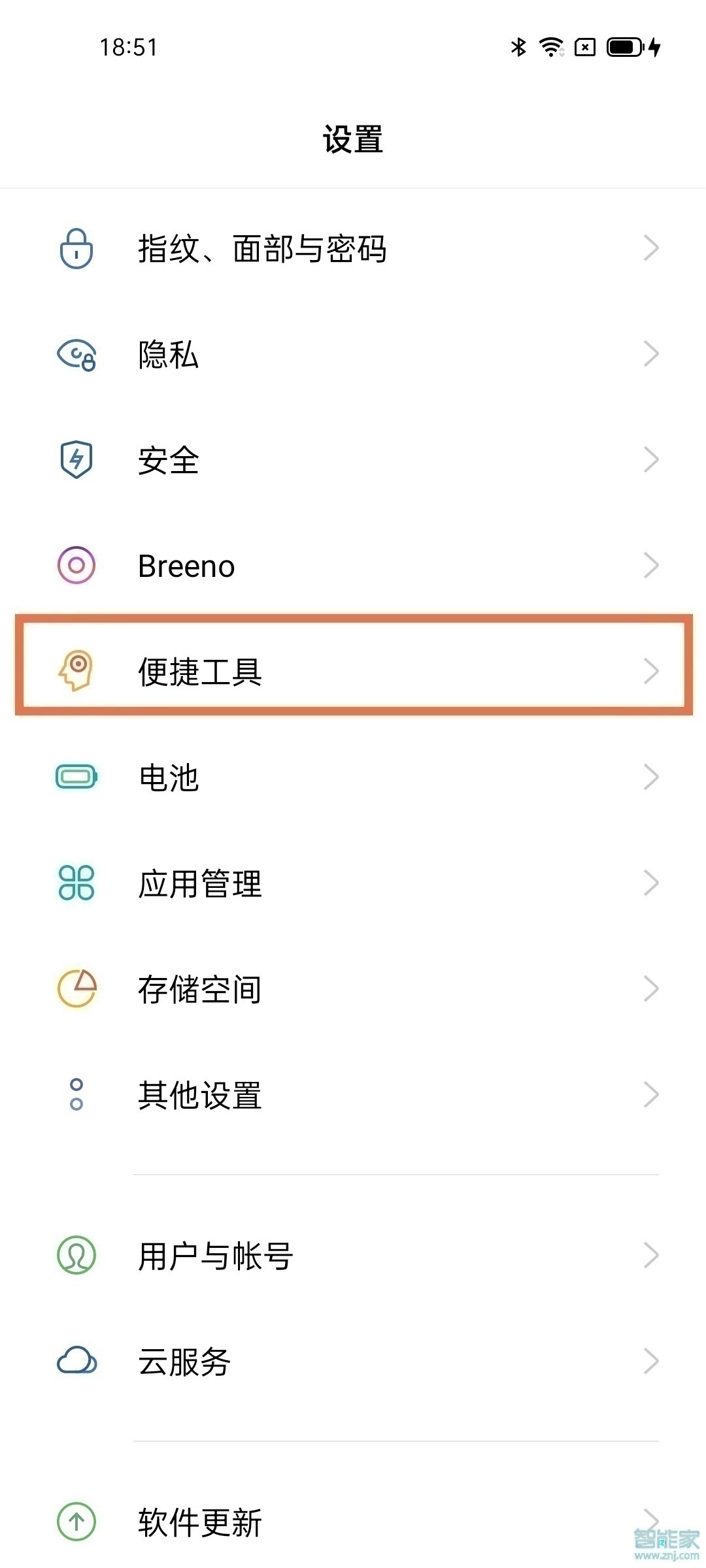
1、打开手机设置,点击【便捷工具】。
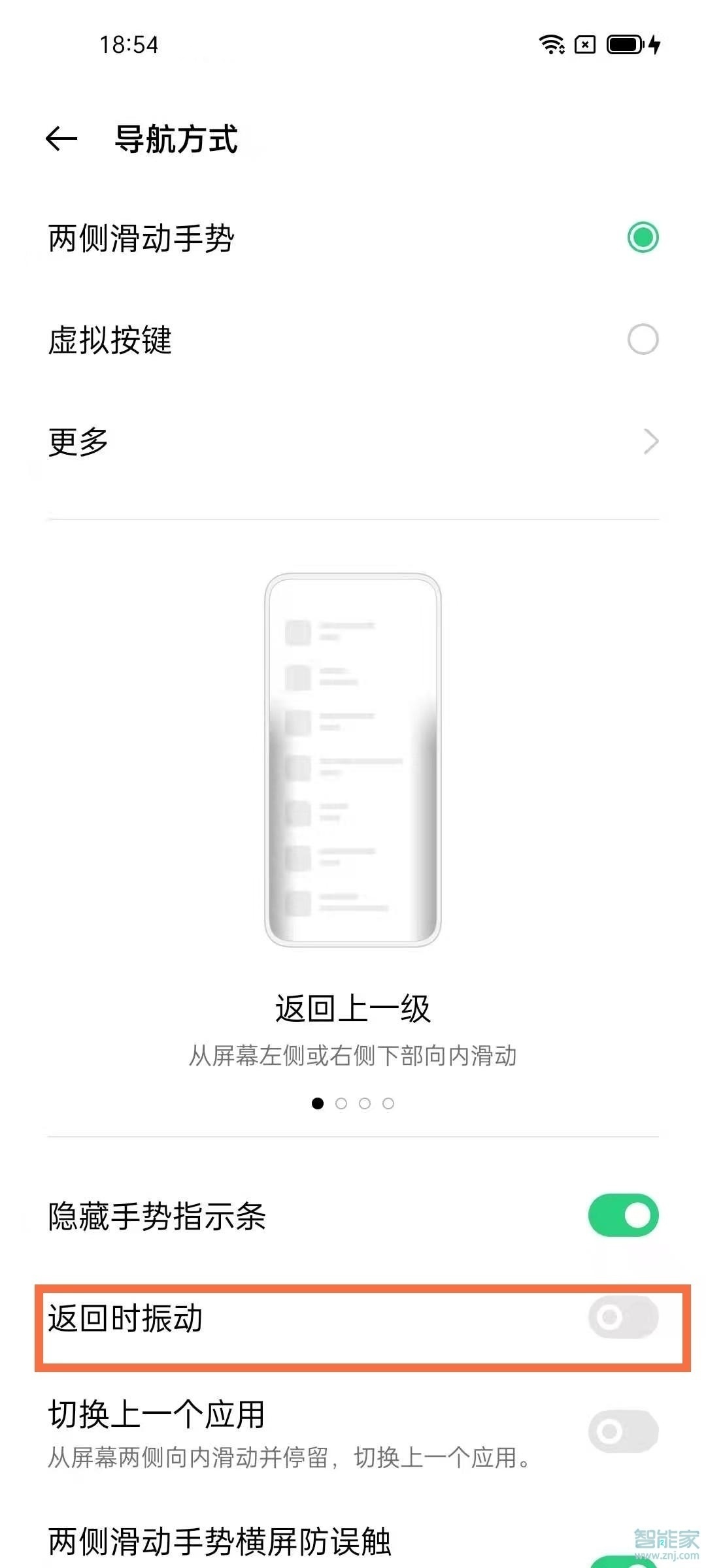
2、在便捷工具选项中选择【导航方式】。

3、将【返回时振动】开关关闭即可。。
本文以opporeno5为例适用于ColorOS 11.1系统

 0 0 0 0 0 0 0 0 0 0
 版权所有 Copyright©2022 生活百科 版权所有
联系邮箱:baike#shbk.net
